
Setup and providers
AI is a two-step opt-in: the server is given a model (this page), then a site admin enables a profile for each project (see AI insights).
1. Install
Section titled “1. Install”@storyshelf/ai owns the Vercel AI SDK core (pinned exactly). You install a provider package for the model you want; StoryShelf never bundles or configures providers, so any backend the SDK supports works.
nub add @storyshelf/ai @ai-sdk/openai2. Create the AI surface
Section titled “2. Create the AI surface”import { createAi } from "@storyshelf/ai";import { createShelfApp } from "@storyshelf/app";import { openai } from "@ai-sdk/openai";import { anthropic } from "@ai-sdk/anthropic";
const ai = createAi({ profiles: { default: { defaultModel: openai("gpt-4o-mini") }, thorough: { defaultModel: openai("gpt-4o-mini"), models: { vision: anthropic("claude-sonnet-4-5") }, }, private: { defaultModel: localModel, models: { vision: null } }, }, defaultProfile: "default", budget: { dailyTokens: 2_000_000, visionWeight: 5, perProjectCallsPerHour: 50 },});
const app = createShelfApp({ database, storage, ai });The smallest valid setup is createAi({ profiles: { default: { defaultModel } } }). Passing ai to createShelfApp enables AI site-wide; leaving it out disables everything (the API answers 501 ai-disabled and the UI shows nothing).
Profiles
Section titled “Profiles”A profile is a named data-flow decision. Which models see a project’s data is decided by the profile a site admin picks for it, so profiles are how you separate “cloud vision is fine” projects from “text only, local model” ones.
defaultProfileis used when none is requested (thedefaultkey if present, otherwise the first one).- An unknown profile name falls back to the default and reports a warning in the result.
Models and slots
Section titled “Models and slots”Each profile has a defaultModel and optional per-task models:
| Slot | Used for |
|---|---|
defaultModel | Everything not overridden below |
models.triage | Build triage |
models.health | Project health |
models.vision | Triage only when screenshots are sent; null disables screenshots for the profile |
A slot is either a bare model or an object with overrides:
{ model: openai("gpt-4o-mini"), maxTokens: 1500, // output cap (defaults: triage 1500, health 4000) timeoutMs: 60_000, // per call (defaults: triage 60 s, health 180 s) vision: true, // declare vision support for a non-vision slot providerOptions: { openai: { reasoningEffort: "low" } },}Vision rules: a model in the vision slot is assumed to accept images unless it declares vision: false; a model elsewhere only counts if it declares vision: true; vision: null disables images. If a provider rejects images, the call falls back to text and the result carries a vision-skipped marker. Startup checks never make a billed call, so vision support is not verified up front.
Provider options
Section titled “Provider options”providerOptions is forwarded unchanged to the AI SDK on every call of that slot. Use it for settings that belong to one provider, for example:
- Reasoning models can spend the whole output cap on hidden reasoning and return nothing usable. Lower the reasoning effort or thinking budget for the slot, or raise
maxTokens. - Routing and data policies offered by gateways such as OpenRouter.
- Context-size or similar settings for local model servers (check your provider package for the name).
StoryShelf treats the value as opaque and contains no provider-specific code. You can also wrap the model with the SDK’s settings middleware instead; both work.
Budget
Section titled “Budget”All fields are optional. See Budget and usage.
Credentials
Section titled “Credentials”Credentials live in your server assembly, inside the provider instance; @storyshelf/ai never reads them. Supported routes:
- Cloud-provider identity — Amazon Bedrock, Google Vertex or Azure OpenAI through IAM, workload identity or managed identity. Preferred for enterprises: no long-lived keys.
- Vendor API keys held as service secrets (environment variables or your secret manager).
- An internal LLM gateway or proxy that speaks an OpenAI-compatible API.
- A local model server such as Ollama, when data must stay on your network.
Consumer plans are not supported. A Claude or ChatGPT subscription used through Claude Code or Codex issues credentials for the vendors’ own clients, is metered per seat rather than per call, and would tie a shared server to one person’s login. Confirm your provider’s terms for server use.
Startup checks
Section titled “Startup checks”On boot StoryShelf checks that every configured model uses a specification version the pinned AI SDK can drive (so a mismatched provider package fails fast, with a readable message, instead of at the first review). If OpenTelemetry is enabled, it also registers the SDK’s tracing integration. No model is ever called during startup.
Enable it for a project
Section titled “Enable it for a project”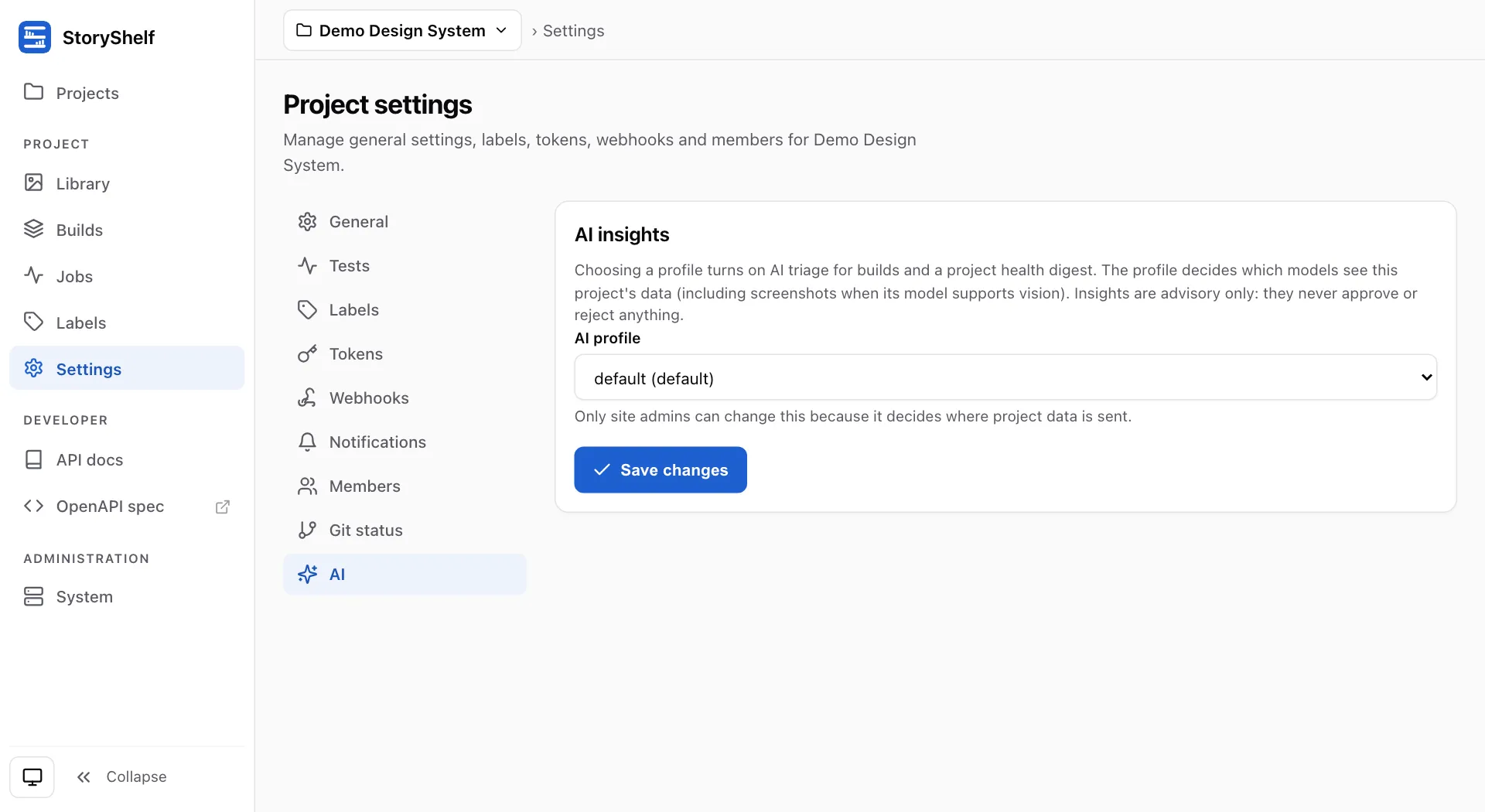
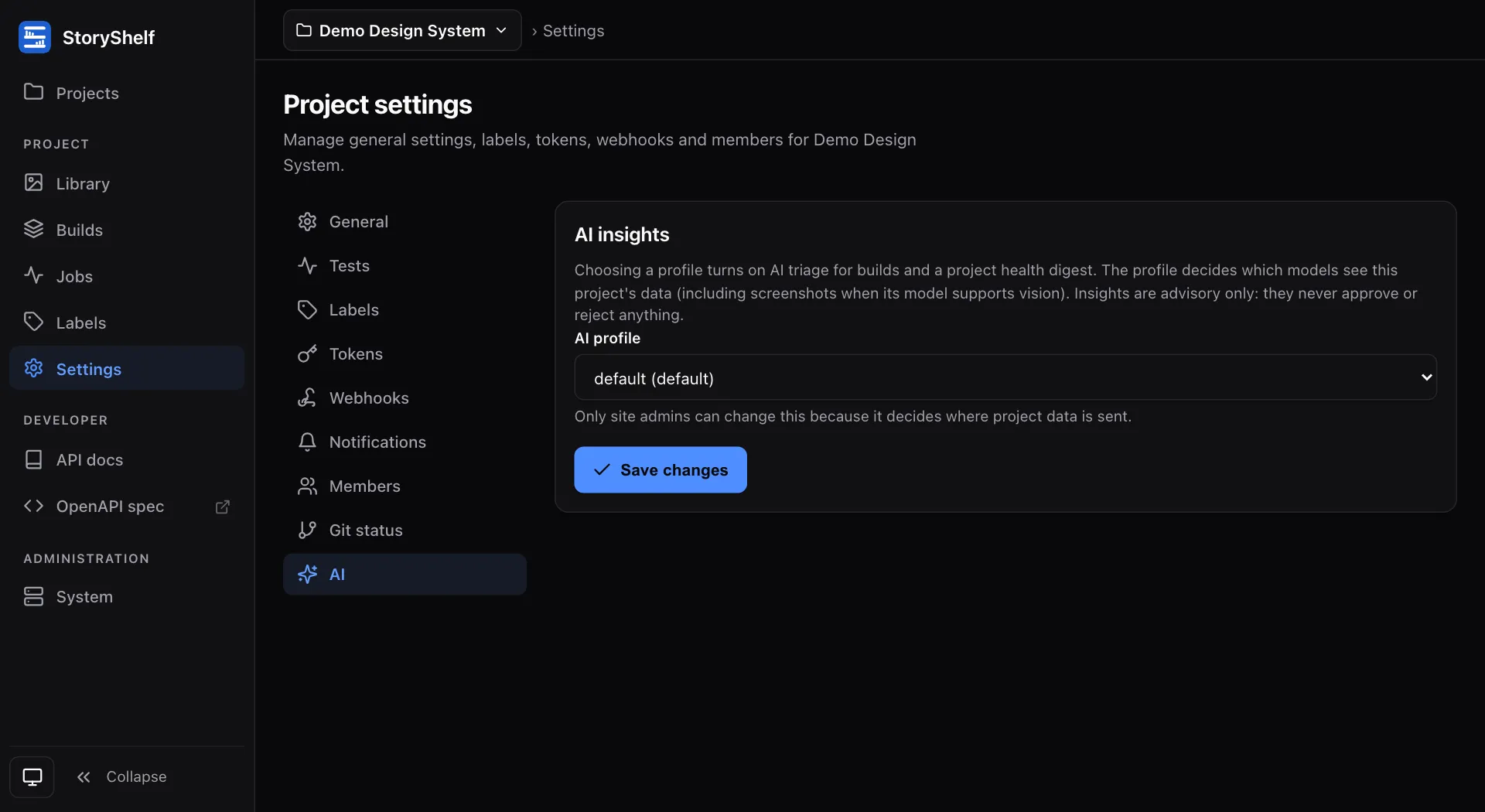
A site admin chooses a profile (or Off) under Project settings → AI, or sends PATCH /api/v1/projects/{slug} with { "aiProfile": "default" } (or null). See the API.