
Build triage
A verdict (likely-intended, needs-review, likely-regression), a short summary, and a note
per snapshot — right above the review workspace. How it works
StoryShelf can read a build’s results and tell you what it thinks: is this change intended, does it need a human look, or does it look like a regression? It can also summarize a project’s health over the last 30 days. Both are advisory only — they never approve, reject, waive a failing play function, or override a changed baseline. You stay in charge of every merge decision.
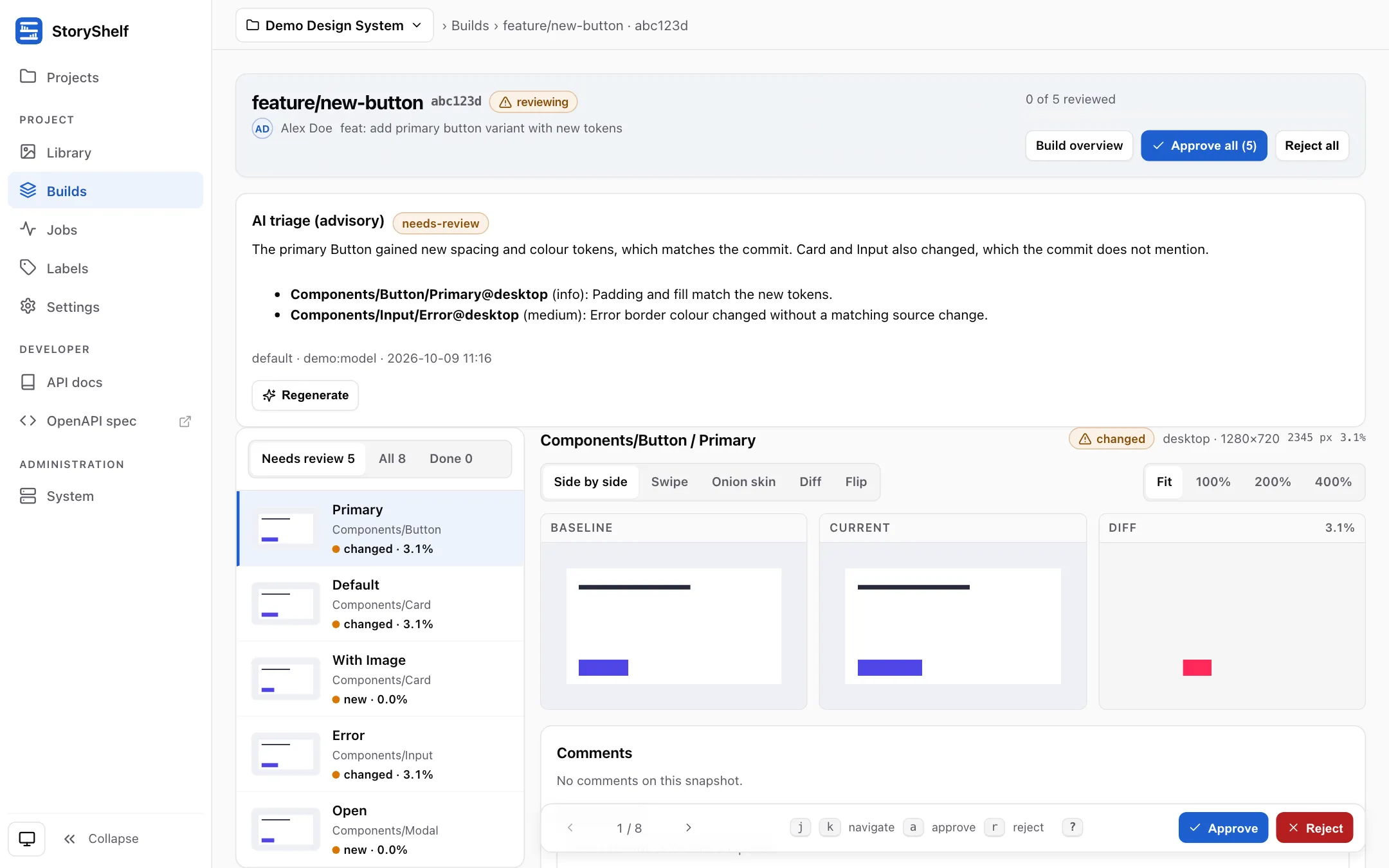
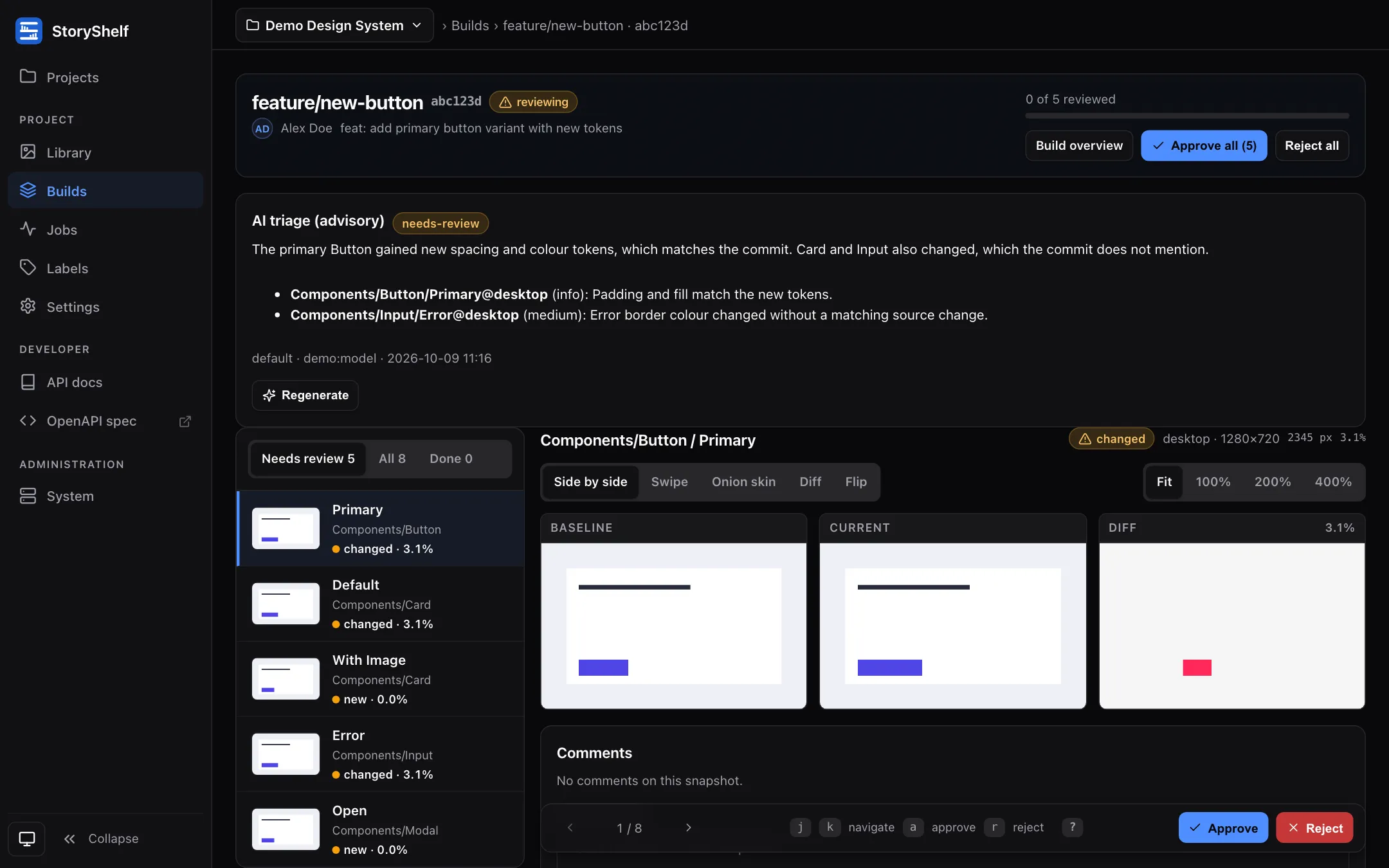
Build triage
A verdict (likely-intended, needs-review, likely-regression), a short summary, and a note
per snapshot — right above the review workspace. How it works
Project health
A 30-day digest with a verdict, a 0–100 score and trends, on the Library and Builds pages and as a badge on the project card. How it works
Your models, your keys
OpenAI, Anthropic, Google, Bedrock, Vertex, Azure, a gateway, or a local model. StoryShelf never sees your keys. Set it up
MCP server for agents
Let Claude Code, Cursor and other agents read builds, diffs and triage, and comment on reviews. Read-only plus comments; approving stays human. Connect an agent
Private by design
Off until a site admin enables a profile per project. Secrets are redacted, output is plain text, and traces never contain prompts or screenshots. Privacy and safety
Give the server a model. Install @storyshelf/ai and a provider package, create an AI surface, and pass it to createShelfApp. See Setup and providers.
Choose a profile for a project. A site admin opens Project settings → AI (or sets aiProfile over the API). Until then the project sends nothing anywhere.
Review as usual. The AI triage panel appears on the review page, and approvers and admins can generate or regenerate it. Generate the health digest from the project’s Library page.
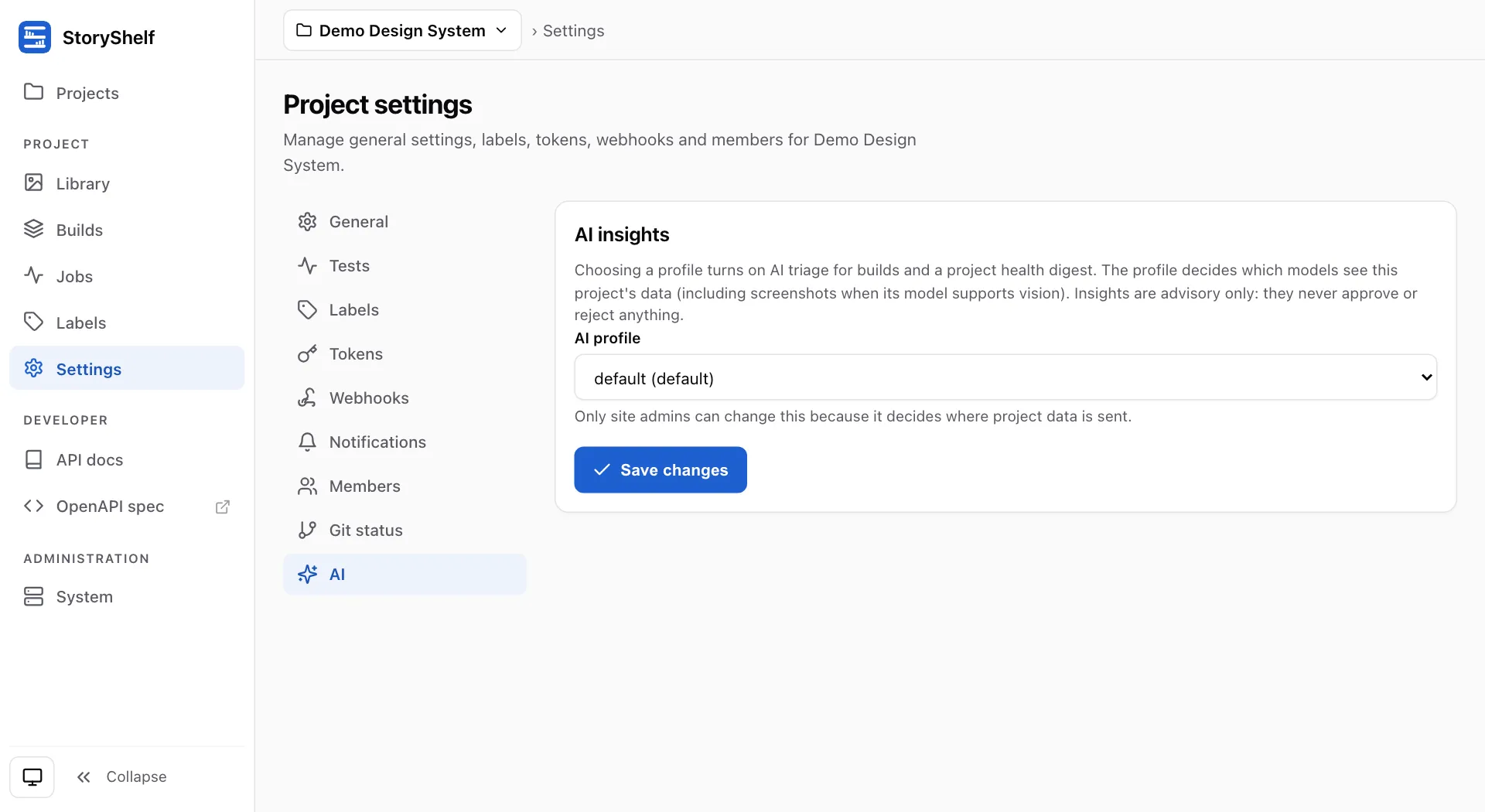
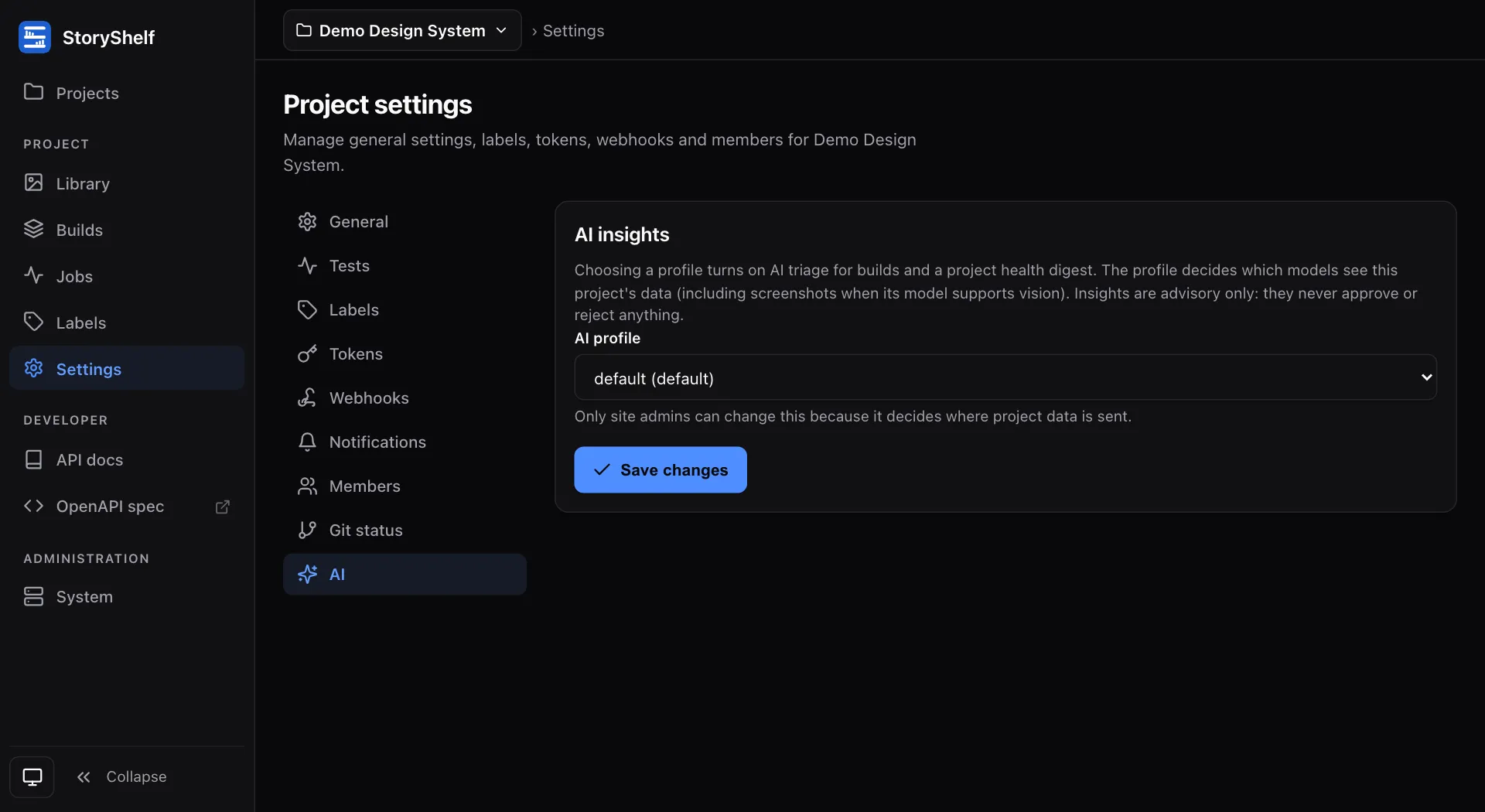
Everything is bounded: a daily token budget across all instances, a per-project hourly call limit, capped evidence size, and identical evidence is served from cache for free. Site admins get alerts at 50%, 75%, 90% and 100% of the budget and a usage page. See Budget and usage.